Design, Develop and Deploy PHP Web Applications with NuSphere PhpED 5.9.5 and Nu-Coder 3.0
PhpED is PHP Editor/IDE by NuSphere (http://www.nusphere.com/products/phped.htm). We have reviewed different versions of PhpED in the past, the story of this PHP Editor is becoming that of a boutique shop excellence at beating huge department stores selling in their niche. Insisting that they have the best speed of the Editor, powerful PHP debugger and friendly UI for PHP developers on Windows folks at NuSphere are staying in business battling Zend Studio and Komodo, weathering the storms of Eclipse and other entries to PHP Editors market. In this review we are looking at the most important features of PhpED 5.9.5 as well as Nu-Coder 3.0 - NuSphere's PHP Encoder, getting to the bottom of the resilience of PhpED.
Install and Run
PhpED Installer comes with everything you need to start developing your code right away. When we installed PhpED following the defaults on our brand new Windows 7 "virgin" computer we were pleasantly surprised to see that NuSphere took care of installing not one but three versions of PHP and their built-in light weight web server in their own directories, where they wouldn't override or interfere with any other PHP installations if we had any. Once the editor is installed, you can start editing, running and debugging your PHP files right away. You can also use your own PHP and Web Server such as Apache or IIS - it is up to you, but PhpED doesn't need anything to start running.
Main Features of PHP Editor
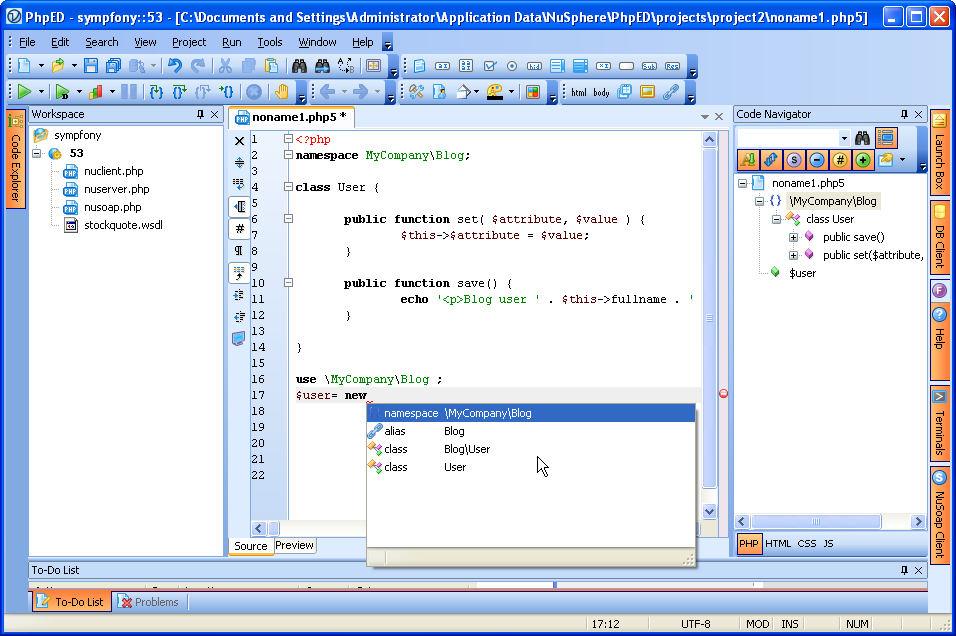
In addition to being PHP Editor/IDE PhpED is fully featured Web 2.0 authoring technology. While JavaScript support needs more - namely code completion, but the PHP has full support for all versions, including namespaces in 5.3.
Things we liked:
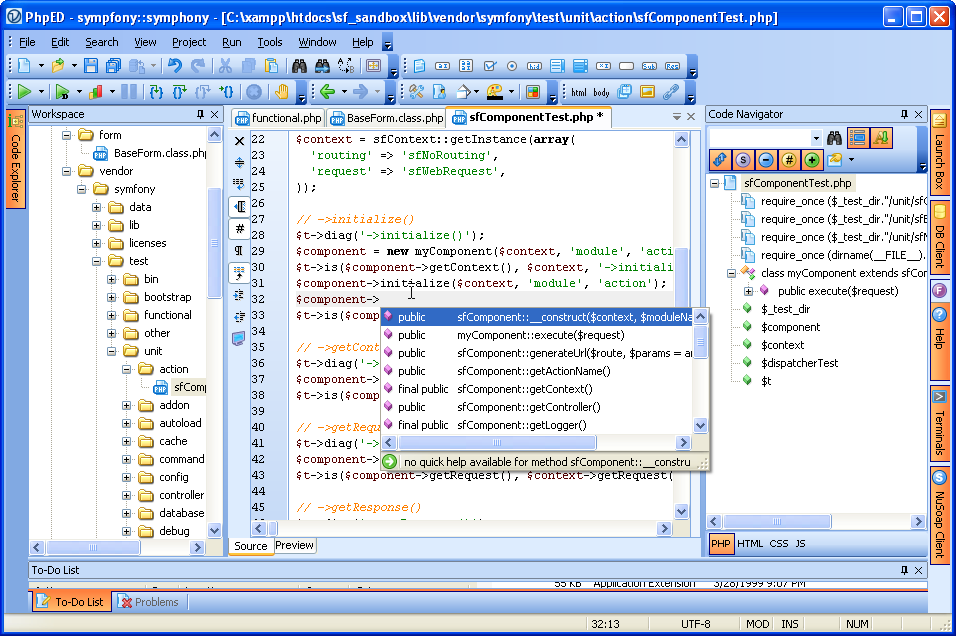
- Code Intellisense and Insight: includes Code completion hints picking up the most edge cases (nested PHP Classes and methods, dynamically assigned PHP variables), Error analysis, Syntax checking, Code templates and everything else not just for PHP, but also HTML, JavaScript and CSS.
- Code Navigation: Code navigators both for a single file as well as the Code Explorer for the whole Project. Code Folding - including the ability to manually select the region to fold. Also available for HTML, JavaScript and CSS
- Syntax highlighting: in addition to the expected support for PHP, HTML, JavaScript and CSS some random cool features there: Smarty Highlighter for .tpl files, highlighting of all occurrences of the selected variable in the editor, automatic detection of the language and switching of the highlighter based on the position of the cursor in the editor.
- PHP Debugger - it this deserves its own chapter, so keep on reading please.
- Unicode support
- Embedded Browser - Internet Explorer and FireFox
- Overall user friendliness of the Editor: if you are used to programming on Windows and Microsoft, you will feel at home with PhpED. Virtually everything can be configured and short-cutted. We think their Tech Support should put "go to Tools->Settings" into their scripts. They probably have, actually.
- FAST! Still Fast, as previous versions used to be - even though they added all these features throughout 10 years. In today's world of millions of PHP Editors and IDEs you won't see the difference in the Editor's speed on a project of 3 files. The revelation comes in real life development where 1000s of lines of code come together in monstrous projects. PhpED shines -slow down happens only on the first load while their code parser gets it all in, after that - smooth sailing, no problem. Checking their forum we saw some complains - it is safe to assume that somebody runs into something eventually, but both our experience and the sentiment of the users - PhpED gets you your money worth in terms of speed, especially on large projects
- Integration with PHP Frameworks. Using NuSphere's php framework tutorials one can add their favorite PHP Framework to PhpED's Code Intellisense in 2-3 simple steps - including Zend's Framework
- Built in FTP/SFTP support with files synchronization, database client, WebDav and whole bunch of other things.
- Hidden treasures: ssh terminals, 3-rd party tools integration, integration of Windows Shell commands in PhpED menus!
Things we didn't like. Mostly we didn't like the things we couldn't find:
- Help Menus. Sometimes outdated, some items are missing all together. Quite often we found the answers to our questions on the website (http://www.nusphere.com/products/php_tools.htm) instead of the Help menu
- Lack of built-in SVN client. In all fairness SVN is integrated with PhpED via their shell commands and 3-rd party tools integration. It works, but you will need to install TortoiseSVN if you don't have it already.
- Code completion for JavaScript. Support for predominant JS frameworks is also needed.
- Ability to assign attributes and names of the elements in Code Navigator for HTML. We miss this as something we used to have in HomeSite
Overall impression: awesome PHP Editor for those who use Windows for development and any operating system to debug and deploy. If you are Mac/Linux user - try PhpED on Wine or Parallels, there is a section about running it on their website, though we haven't tried it yet.
PHP Debugger in the IDE
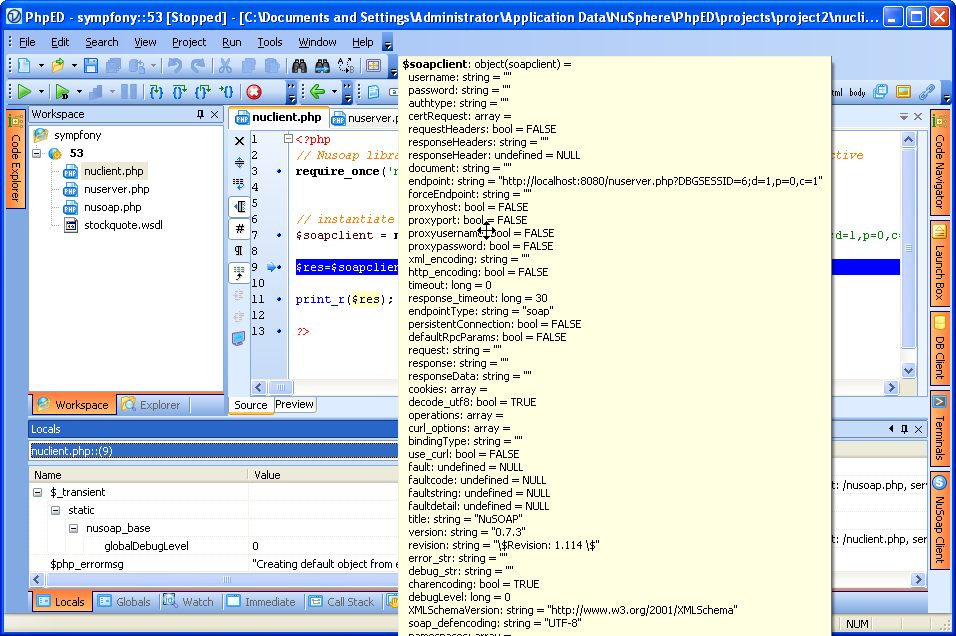
Having the author of Dbg (http://www.php-debugger.com) for CTO and Vice President of Engineering sure helps the company making PHP IDE. While free version of Dbg is used in many PHP IDEs out there, including the ones directly competing with NuSphere, PhpED enjoys the advantage of having the best features of commercial version of Dbg. You can step through the code running both locally and remotely (the latter is only available in Professional edition), look at the variables, assign values on the fly, jump around in the code during the execution, set the watches and do clever things to debug your Ajax calls - as we described here: https://www.php-editors.com/articles/debugging-php-json.php.
There is also a set of advanced debugger features in PhpED 5.9.5 such as parallel debug sessions, conditional global breakpoints and secure debugging with traffic encryption. If you need to debug PHP CLI application, PhpED will come quite handy
NuSphere's PHP debugger (http://www.nusphere.com/products/php_debugger.htm) also powers up their PHP Profiler, which makes the task of finding the bottlenecks in production a piece of cake:
Finally, the thing that is new in PhpED 5.9 series is Debugger Wizard. Setting up local or remote debugging with their PhpED's own web server or any Apache or IIS out there is made easy in most of the cases.
Integration with PHP Encoder
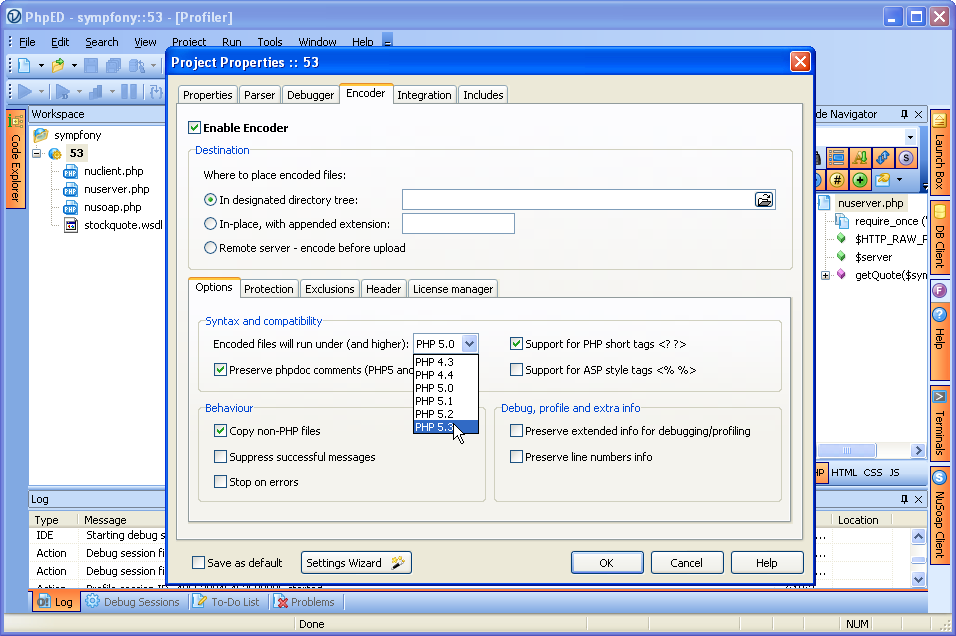
NuSphere announced version 3.0 of their PHP Encoder - Nu-Coder (http://www.nusphere.com/products/nucoder.htm). NuSphere's entry to the encoder's market is designed to compete with Zend Guard and ionCube. Nu-Coder 3.0 comes with its own GUI and multi-level obfuscation and certainly deserves its own review, however it is worth a while to mention that PhpED users with Nu-Coder license can encode their entire projects directly from PhpED.
We didn't spend too much time with this functionality, but we noticed that PhpED GUI to Nu-Coder seems to have all of the options available in standalone encoder.
Summary
PhpED 5.9.5 lives up to its promises to be fast, user friendly PHP Editor. If you are in the market for PHP IDE, while the number of editors is huge, there are only 4 or 5 worth real consideration and if Windows is your development platform, free PhpED trial is certainly one of them - http://www.nusphere.com/download.php.ide.htm
|